환경: Spring Boot 4.0.2 · Java 25 · MySQL 8.4.8 · Redis 7.4.7-alpine · Kafka (confluent-local 7.6.0) · IntelliJ · Docker
핵심 요약
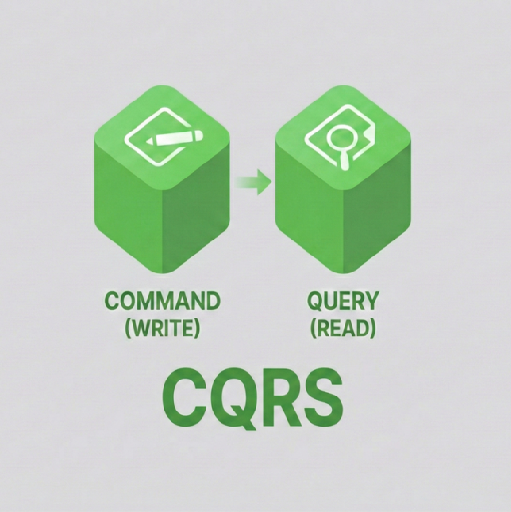
- 1편에서 정한 서비스 경계(주문/결제/조회)를 “폴더/모듈/실행 형태”로 고정하고, 이번 편에서 실행 가능한 뼈대를 완성합니다.
- 멀티모듈의 핵심은 루트 Gradle 설정(버전/툴체인)과 settings.gradle(include)로 모듈을 정확히 인식시키는 것입니다.
- 로컬 인프라는 Docker Compose로 MySQL/Redis/Kafka를 띄워 “다음 편 확장(이벤트/읽기 모델)”이 바로 가능한 상태로 준비합니다.
- 각 서비스는 최소한의 Spring Boot 앱 + 컨트롤러만 두고, curl로 스모크 테스트까지 통과시키는 것이 목표입니다.
목차
- 1) 프로젝트 구조: 폴더/모듈/패키지 위치 한 번에 잡기
- 2) 루트 Gradle 세팅: Spring Boot 4.0.2 / Java 25 고정
- 3) infra/docker-compose.yml: MySQL/Redis/Kafka 로컬 인프라
- 4) 모듈별 build.gradle: libs 1개 + services 3개
- 5) 서비스 코드 배치: Application/Controller 파일 위치
- 6) 실행 & 동작 확인(curl): 성공 기준
- 다음 편 예고
1) 프로젝트 구조: 폴더/모듈/패키지 위치 한 번에 잡기
멀티모듈에서 가장 헷갈리는 포인트는 “어느 파일을 어디에 둬야 하는지”입니다. 아래 폴더 트리를 기준으로 위치를 고정합니다.
프로젝트 루트 폴더 이름: cqrs
cqrs/
  build.gradle
  settings.gradle
  gradle.properties

  infra/
    docker-compose.yml

  libs/
    event-contracts/
      build.gradle
      src/main/java/...

  services/
    order-command/
      build.gradle
      src/main/java/...
    payment-command/
      build.gradle
      src/main/java/...
    order-query/
      build.gradle
      src/main/java/...
패키지는 서비스마다 루트 패키지를 분리합니다.
- order-command:
com.ilway.cqrslab.ordercommand - payment-command:
com.ilway.cqrslab.paymentcommand - order-query:
com.ilway.cqrslab.orderquery
2) 루트 Gradle 세팅: Spring Boot 4.0.2 / Java 25 고정
2-1) root/gradle.properties
파일 위치: cqrs/gradle.properties
springBootVersion=4.0.2
dependencyManagementVersion=1.1.7
javaVersion=25
2-2) root/settings.gradle
멀티모듈은 include가 생명입니다. 여기에 포함되지 않으면 IntelliJ/Gradle이 “모듈”로 인식하지 못합니다.
파일 위치: cqrs/settings.gradle
rootProject.name = 'cqrs'
include 'libs:event-contracts'
include 'services:order-command'
include 'services:payment-command'
include 'services:order-query'
2-3) root/build.gradle
루트에서는 플러그인을 “버전 고정만” 하고(apply false),
실제 적용은 서브모듈이 선택하도록 합니다. 그래야 라이브러리 모듈(event-contracts)과
애플리케이션 모듈(서비스 3개)이 깔끔하게 공존합니다.
파일 위치: cqrs/build.gradle
plugins {
  id 'org.springframework.boot' version "${springBootVersion}" apply false
  id 'io.spring.dependency-management' version "${dependencyManagementVersion}" apply false
}

allprojects {
  group = 'com.ilway.cqrslab'
  version = '0.0.1-SNAPSHOT'

  repositories {
    mavenCentral()
  }
}

subprojects {
  apply plugin: 'java'

  java {
    toolchain {
      languageVersion = JavaLanguageVersion.of(25)
    }
  }

  tasks.withType(Test).configureEach {
    useJUnitPlatform()
  }
}
3) infra/docker-compose.yml: MySQL/Redis/Kafka 로컬 인프라
다음 편에서 “쓰기(MySQL) → 이벤트(Kafka) → 읽기 모델(Redis)” 흐름을 붙일 예정이라, 이번 편에서 인프라를 먼저 띄울 수 있게 준비해 둡니다.
파일 위치: cqrs/infra/docker-compose.yml
services:
  mysql:
    image: mysql:8.4.8
    container_name: cqrs-mysql
    environment:
      MYSQL_ROOT_PASSWORD: root
      MYSQL_DATABASE: cqrs_demo
      MYSQL_USER: app
      MYSQL_PASSWORD: app
    ports:
      - "3306:3306"
    volumes:
      - mysql_data:/var/lib/mysql

  redis:
    image: redis:7.4.7-alpine
    container_name: cqrs-redis
    ports:
      - "6379:6379"

  kafka:
    image: confluentinc/confluent-local:7.6.0
    container_name: cqrs-kafka
    ports:
      - "9092:9092"

volumes:
  mysql_data:
4) 모듈별 build.gradle: libs 1개 + services 3개
멀티모듈에서 두 번째로 많이 꼬이는 지점은 “각 모듈이 어떤 플러그인을 써야 하는지”입니다. 결론부터 말하면 단순합니다.
- libs/event-contracts는 “서버가 아니라 라이브러리”이므로
java-library - services/*는 “Spring Boot 앱”이므로
org.springframework.boot+dependency-management
4-1) libs/event-contracts/build.gradle
파일 위치: cqrs/libs/event-contracts/build.gradle
plugins {
  id 'java-library'
}

dependencies {

}
4-2) services/order-command/build.gradle
파일 위치: cqrs/services/order-command/build.gradle
plugins {
  id 'org.springframework.boot'
  id 'io.spring.dependency-management'
}

dependencies {
  implementation project(':libs:event-contracts')

  implementation 'org.springframework.boot:spring-boot-starter-actuator'
  implementation 'org.springframework.boot:spring-boot-starter-webmvc'
  implementation 'org.springframework.boot:spring-boot-starter-data-jpa'
  implementation 'org.springframework.boot:spring-boot-starter-kafka'

  runtimeOnly 'com.mysql:mysql-connector-j'

  testImplementation 'org.springframework.boot:spring-boot-starter-test'
}
4-3) services/payment-command/build.gradle
파일 위치: cqrs/services/payment-command/build.gradle
plugins {
  id 'org.springframework.boot'
  id 'io.spring.dependency-management'
}

dependencies {
  implementation project(':libs:event-contracts')

  implementation 'org.springframework.boot:spring-boot-starter-actuator'
  implementation 'org.springframework.boot:spring-boot-starter-webmvc'
  implementation 'org.springframework.boot:spring-boot-starter-data-jpa'
  implementation 'org.springframework.boot:spring-boot-starter-kafka'

  runtimeOnly 'com.mysql:mysql-connector-j'

  testImplementation 'org.springframework.boot:spring-boot-starter-test'
}
4-4) services/order-query/build.gradle
파일 위치: cqrs/services/order-query/build.gradle
plugins {
  id 'org.springframework.boot'
  id 'io.spring.dependency-management'
}

dependencies {
  implementation project(':libs:event-contracts')

  implementation 'org.springframework.boot:spring-boot-starter-actuator'
  implementation 'org.springframework.boot:spring-boot-starter-webmvc'
  implementation 'org.springframework.boot:spring-boot-starter-data-redis'
  implementation 'org.springframework.boot:spring-boot-starter-kafka'

  runtimeOnly 'com.mysql:mysql-connector-j'

  testImplementation 'org.springframework.boot:spring-boot-starter-test'
}
5) 서비스 코드 배치: Application/Controller 파일 위치
“패키지가 많아 위치가 헷갈린다”는 문제는, 파일 경로를 고정해버리면 즉시 해결됩니다. 아래는 이번 편에서 최소로 필요한 코드의 정확한 파일 위치입니다.
5-1) order-command
애플리케이션 엔트리포인트
파일 위치: cqrs/services/order-command/src/main/java/com/ilway/cqrslab/ordercommand/OrderCommandApplication.java
package com.ilway.cqrslab.ordercommand;

import org.springframework.boot.SpringApplication;
import org.springframework.boot.autoconfigure.SpringBootApplication;

@SpringBootApplication
public class OrderCommandApplication {

  public static void main(String[] args) {
    SpringApplication.run(OrderCommandApplication.class, args);
  }

}
컨트롤러
파일 위치: cqrs/services/order-command/src/main/java/com/ilway/cqrslab/ordercommand/api/OrderCommandController.java
package com.ilway.cqrslab.ordercommand.api;

import org.springframework.web.bind.annotation.PostMapping;
import org.springframework.web.bind.annotation.RequestBody;
import org.springframework.web.bind.annotation.RequestMapping;
import org.springframework.web.bind.annotation.RestController;

import java.util.UUID;

@RestController
@RequestMapping("/commands/orders")
public class OrderCommandController {

  private static final String ORDER_PREFIX = "o_";

  @PostMapping
  public CreateOrderResponse create(@RequestBody CreateOrderRequest createOrderRequest) {
    return new CreateOrderResponse(ORDER_PREFIX + UUID.randomUUID(), "CREATED");
  }

  public record CreateOrderRequest(String userId) {}
  public record CreateOrderResponse(String orderId, String status) {}

}
5-2) payment-command
애플리케이션 엔트리포인트
파일 위치: cqrs/services/payment-command/src/main/java/com/ilway/cqrslab/paymentcommand/PaymentCommandApplication.java
package com.ilway.cqrslab.paymentcommand;

import org.springframework.boot.SpringApplication;
import org.springframework.boot.autoconfigure.SpringBootApplication;

@SpringBootApplication
public class PaymentCommandApplication {

  public static void main(String[] args) {
    SpringApplication.run(PaymentCommandApplication.class, args);
  }

}
컨트롤러
파일 위치: cqrs/services/payment-command/src/main/java/com/ilway/cqrslab/paymentcommand/api/PaymentCommandController.java
package com.ilway.cqrslab.paymentcommand.api;

import org.springframework.web.bind.annotation.PostMapping;
import org.springframework.web.bind.annotation.RequestBody;
import org.springframework.web.bind.annotation.RequestMapping;
import org.springframework.web.bind.annotation.RestController;

import java.util.UUID;

@RestController
@RequestMapping("/commands/payments")
public class PaymentCommandController {

  private static final String PAYMENT_PREFIX = "p_";

  @PostMapping
  public CreatePaymentResponse pay(@RequestBody CreatePaymentRequest request) {
    return new CreatePaymentResponse(PAYMENT_PREFIX + UUID.randomUUID(), request.orderId(), "CAPTURED");
  }

  public record CreatePaymentRequest(String orderId, long amount) {}
  public record CreatePaymentResponse(String paymentId, String orderId, String status) {}

}
5-3) order-query
애플리케이션 엔트리포인트
파일 위치: cqrs/services/order-query/src/main/java/com/ilway/cqrslab/orderquery/OrderQueryApplication.java
package com.ilway.cqrslab.orderquery;

import org.springframework.boot.SpringApplication;
import org.springframework.boot.autoconfigure.SpringBootApplication;

@SpringBootApplication
public class OrderQueryApplication {

  public static void main(String[] args) {
    SpringApplication.run(OrderQueryApplication.class, args);
  }

}
컨트롤러
파일 위치: cqrs/services/order-query/src/main/java/com/ilway/cqrslab/orderquery/api/OrderQueryController.java
package com.ilway.cqrslab.orderquery.api;

import org.springframework.web.bind.annotation.GetMapping;
import org.springframework.web.bind.annotation.PathVariable;
import org.springframework.web.bind.annotation.RequestMapping;
import org.springframework.web.bind.annotation.RestController;

import java.util.List;

@RestController
@RequestMapping("/queries")
public class OrderQueryController {

  private static final String ORDER_PREFIX = "o_";

  @GetMapping("/users/{userId}/orders")
  public List<OrderSummary> userOrders(@PathVariable String userId) {
    return List.of(new OrderSummary(ORDER_PREFIX + "demo", "CREATED"));
  }

  @GetMapping("/orders/{orderId}")
  public OrderDetail orderDetails(@PathVariable String orderId) {
    return new OrderDetail(orderId, "CREATED");
  }

  public record OrderSummary(String orderId, String status) {}
  public record OrderDetail(String orderId, String status) {}

}
6) 실행 & 동작 확인(curl): 성공 기준
6-1) 인프라 실행
프로젝트 루트(cqrs)에서 실행합니다.
docker compose -f infra/docker-compose.yml up -d

docker ps
6-2) 3개 서비스 실행
터미널 3개를 띄워 아래처럼 실행합니다.
./gradlew :services:order-command:bootRun
./gradlew :services:payment-command:bootRun
./gradlew :services:order-query:bootRun
6-3) 동작 확인(curl)
# 주문 생성 (order-command)
curl -X POST "http://localhost:8081/commands/orders"   -H "Content-Type: application/json"   -d '{ "userId": "u_1" }'

# 결제 (payment-command)
curl -X POST "http://localhost:8082/commands/payments"   -H "Content-Type: application/json"   -d '{ "orderId": "o_1", "amount": 42000 }'

# 주문 내역 조회 (order-query)
curl "http://localhost:8083/queries/users/u_1/orders"

# 주문 상세 조회 (order-query)
curl "http://localhost:8083/queries/orders/o_demo"
주문 생성 성공 출력 예시(UUID는 매번 달라집니다)
{"orderId":"o_4de31546-8fd5-41ac-96c1-2aaad211e10c","status":"CREATED"}
다음 편 예고
3편부터는 order-command가 MySQL에 저장하고, Kafka로 이벤트를 발행한 뒤, order-query(또는 projection)가 이벤트를 구독해 Redis 읽기 모델을 갱신하는 CQRS의 핵심 흐름을 붙입니다.